
Z CAM · EzLink

Z CAM for synchronised multi-camera capture

Cinema-grade imaging with built-in network synchronisation: Z CAM cameras combine into synchronised arrays to review an action from several angles, measure movement, create a bullet-time effect or capture a performance for 3D. Processing then relies on the software suited to each application.

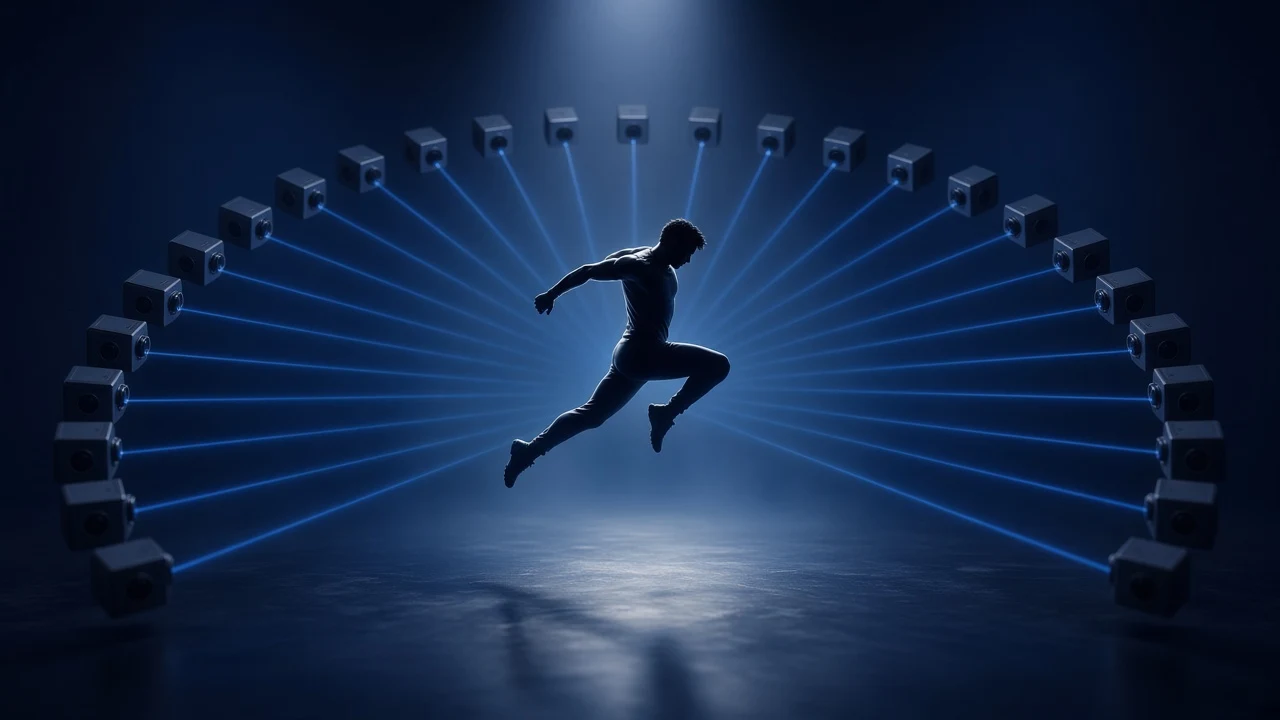
An athlete frozen mid-jump at the centre of an arc of cameras, their beams converging on the subject.
Concept illustration, AI-generated image.

Why Z CAM for multi-camera work

EzLink synchronisation tolerance stated by Z CAM
≤ 0.5 ms
Ethernet to connect the cameras, one of them acting as reference
1 switch
and SDK to control the cameras from third-party software
Open API
compact, Super 35 and full-frame sensors depending on the model
Up to 8K

Z CAM builds synchronisation into its cameras. With EzLink, compatible E2 Mark II bodies connect to an Ethernet switch and one of them provides the reference for the others. Where a genlock architecture distributes an external reference to every camera, EzLink relies on the Ethernet network that links the cameras.

The same cameras bring cinema-grade imaging, control through an open API and, depending on the model, PoE+ power and NDI® video. That combination makes Z CAM a solid foundation for a multi-camera array.

Compare EzLink, PixelLink and genlock

Z CAM cameras in documented projects

What result are you looking for?

Four applications rely on synchronised multi-camera capture. They deliver filmed views, a 3D reconstruction of the subject's appearance, or motion data. Each one calls for its own camera layout, settings and software.

To place a project, start from the result you need. The camera layout then depends on the scene and the software, and a single setup can serve several results.

  • Expected result

    Review the filmed views of an action

    Typical setups

    Arc or circular rig, cameras along a field of play

    Application

  • Expected result

    Reconstruct how a subject looks in 3D

    Typical setups

    Volumetric stage or dome, arc or circular rig, camera array around a field of play

  • Expected result

    Get motion data

    Typical setups

    Motion capture stage, camera array around a field of play

    Application

Application 1

Analyse an action

Understand an action from several coordinated views.

Watch a fast-moving subject from several positions, keep the images close together in time and feed them to a tracking or analysis system. Synchronisation reduces the time offset between views; the final measurement depends on calibration and software processing.

This application covers both visual review of an action and the use of positions or trajectories for analysis, measurement or refereeing. In sport, tracking points on the body overlaps with motion capture; which application fits depends on the deliverable: analysing play, or reproducing how a body moves.

Three cameras watching a ball and its trajectory Three cameras placed around the scene aim at a ball; a green curve shows the reconstructed trajectory.
Concept illustration: three views of the same subject and its trajectory. The trajectory is computed by external software.

Sport

Reviewing an action from several angles, analysing movement in training, tracking trajectories in a dedicated system. Official refereeing is a special case, bound by the requirements of the whole system.

Other fields

Motion analysis, research, multi-view data acquisition for computer vision. These are project possibilities, to be assessed case by case.

What Z CAM brings
Synchronised multi-view capture, remote control and configurations suited to the movement. For network-based synchronisation (EzLink), Z CAM states a tolerance of 0.5 ms or less.
Choices to weigh
Frame rate, useful resolution, exposure time, shutter type, lenses, coverage of the area and capture interface. The highest resolution is not always the most useful one: it has to be balanced against frame rate and bitrate.

Public example: NFL / Sony Hawk-Eye.

Application 2

Create a multi-angle effect

Pick a moment and replay it from several positions.

Get views that line up in time for a replay, a frozen-moment effect or an apparent move around the subject. How smooth the result looks also depends on camera placement, lenses and image processing.

Cameras in an arc and an apparent move around the subject Nine cameras in an arc around a subject; a blue arrow follows the arc to show the move from one view to the next at the same instant.
Concept illustration: cameras in an arc around a subject, and the apparent move from view to view at the same instant.

Sport

Multi-angle replays and promotional content. Such a setup does not replace a certified photo-finish system, which remains a separate solution.

Creative

Advertising, music videos, film, dance and brand content. Processing can use a single frozen instant, or move across positions and through time, depending on the effect.

What Z CAM brings
Cameras that fit into an arc or rig, synchronised video capture and recording control depending on the configuration. Editing and interpolation between views are handled by the production team or the software.
Choices to weigh
Frame rate, angular coverage, consistent framing, recording formats and transfer of the takes.

Public examples: NFL / Sony Hawk-Eye and Argus / New World Designs.

Application 3

Capture motion

Turn a performance into motion data.

Film an actor or athlete from several angles to feed markerless motion capture software. The deliverable is usually a skeleton animation or trajectory data, rather than a full visual model of the subject.

Motion capture most often delivers an animated skeleton, for character animation, previsualisation or movement study. It overlaps with sports tracking, covered under Analyse an action, which is aimed more at following players and the ball for game analysis.

Four cameras around an animated skeleton Four cameras at the corners of the scene aim at an actor drawn as a skeleton of segments and joints.
Concept illustration: several views of an actor and the skeleton computed by motion capture software.

Sport

Technique analysis and movement study, with a suitable setup. Biomechanical accuracy or clinical use calls for dedicated validation.

Creative

Character animation, video games, previsualisation, film, witness cameras on a capture stage.

What Z CAM brings
Synchronised video sources that fit into a third-party workflow. Move AI’s public documentation describes takes recorded with synchronised Z CAM cameras and points out that a valid calibration is required for processing.
Choices to weigh
Capture volume, number of people, occlusions, lighting, calibration and the expected animation format.

Public example: Move AI.

Application 4

Reconstruct a subject in 3D

Capture how a performance looks so it can be viewed in 3D.

Record a subject from many positions to feed volumetric reconstruction, dynamic photogrammetry or Gaussian Splatting. The latter represents a scene as a large number of coloured, semi-transparent splats computed from the images, so that it can be viewed from new positions.

Ring of cameras around a subject rebuilt as points Ten cameras arranged in a ring around a silhouette made of a cloud of blue points.
Concept illustration: capture stage and reconstructed subject. The 3D rendering comes from third-party software.

Sport

Immersive sequences, showcase content, visual reconstructions for interactive experiences. Peripheral turns multi-angle feeds into navigable 3D replays and demonstrated its technology to NBA and WNBA officials at the 2026 NBA Summer League. On NBA on Prime, Prime Video is rolling out Prime 360: high-resolution cameras around the court, with footage processed by AI models into immersive highlights, used both in-game and in studio analysis. Both setups rely on Z CAM cameras, according to Z CAM.

Creative

Actors and digital doubles, dance, music, XR content, museums, training, immersive experiences. Eyeline (Netflix) documents a volumetric facial capture setup in its DifFRelight research project, using 75 synchronised Z CAM E2 4K cameras to reconstruct performances and change their lighting after capture.

Prime 360 is a production broadcast deployment, Eyeline is published research and Peripheral a demonstration; the other uses remain options to assess for each project.

What Z CAM brings
Images aligned in time, rig mounting, and control of settings depending on the model and lens. The 3D result depends on the complete setup and the reconstruction software.
Choices to weigh
Number and spread of views, resolution, depth of field, even lighting, calibration, storage and processing capacity.

Public examples: Prime 360 / Prime Video, Eyeline / Netflix, Peripheral and Argus / New World Designs.

Volumetric capture and virtual production are two separate workflows

Volumetric capture can supply content to a virtual studio. Filming an LED wall is a different workflow: camera, display and rendering have to be coordinated, including shutter angle, phase and the wall’s refresh rate.

Global Shutter bodies are worth considering for these stages, but a global shutter alone does not guarantee an artefact-free image.

For virtual production, see the Z CAM page.

Brompton Technology explains these synchronisation artefacts.

Public examples

Six publicly documented examples, with attribution to Z CAM when information comes from the manufacturer. They illustrate multi-camera applications; their performance does not carry over to every Z CAM configuration.

Production broadcast NBA on Prime, 2026-27 season

Prime 360 highlights on Amazon Prime Video

Result
Immersive, cinematic highlights generated from an array of high-resolution cameras around the court, used in-game and as an analysis tool in pregame, halftime and postgame coverage on select NBA on Prime broadcasts.
Role of the cameras
Setup using Z CAM cameras, according to Z CAM. Amazon's sources do not name the camera brand, and neither the camera model nor the camera count has been published.
Who runs the system
Prime Video (Amazon), which developed the processing with proprietary AI models built on AWS Trainium chips.

Sources: Amazon MGM Studios press release, October 14, 2026 ↗ and Sports on Prime video ↗ Camera attribution supplied by Z CAM.

Documented deployment 2025 season, article dated November 20, 2025

The NFL with Sony Hawk-Eye

Result
For the 2025 season: six 8K cameras for virtual line-to-gain measurement; twelve 4K cameras for boundary replays, with feeds also shared with broadcasters; fourteen 4K cameras being tested for skeletal tracking.
Role of the cameras
32 Z CAM E2-M4 4K and E2-F8 8K cameras per NFL stadium, according to Sports Video Group.
Who runs the system
Sony Hawk-Eye, integrating capture, measurement and replay.

Source: Sports Video Group ↗ Article dated November 20, 2025. The tracking status refers to the 2025 season.

Published research SIGGRAPH Asia 2024

Volumetric facial capture at Eyeline (Netflix)

Result
Facial performance capture for 3D reconstruction and relighting in the DifFRelight research project.
Role of the cameras
75 synchronised Z CAM E2 4K cameras, explicitly named in the research paper.
Who runs the system
Eyeline (Netflix), building the capture setup and the reconstruction and relighting workflow.

Source: DifFRelight, Eyeline research paper ↗ SIGGRAPH Asia 2024, “Capture Setup” section.

Demonstration 2026 NBA Summer League

Peripheral's navigable 3D replays

Result
Multi-angle feeds reconstructed as navigable 3D replays, demonstrated to NBA and WNBA officials at the 2026 NBA Summer League.
Role of the cameras
Setup using Z CAM cameras, according to Z CAM. Peripheral's public sources do not name the camera brand.
Who runs the system
Peripheral, developing reconstruction processing and the 3D replay experience.

Source: Peripheral press release via Business Wire ↗ August 17, 2026 release for the technology and demo; camera attribution supplied by Z CAM.

Production rig Company page accessed September 2026

The Argus rig by New World Designs

Result
Bullet-time effects and several forms of 3D capture from a single take. The moment and the path through the views are chosen after the shoot.
Role of the cameras
50 Z CAM E2 cameras recording synchronised video.
Who runs the system
New World Designs, the production company that built the rig and handles the processing behind the final result.

Source: newworlddesigns.co.uk ↗ Company page, accessed September 2026.

Documented workflow Documentation accessed September 2026

Motion capture with Move AI

Result
Skeleton animation computed without markers from several views of an actor.
Role of the cameras
Synchronised Z CAM cameras, named in the vendor’s documentation: synchronisation removes the need to line up takes with a clap.
Who runs the system
Move AI, the developer of the motion capture software. A valid calibration of the capture volume is required before processing.

Source: docs.move.ai ↗ Vendor documentation, accessed September 2026.

These examples are given for illustration only. They are neither partnerships nor HoriCast customer references.

Why synchronise the views

A moving subject changes position from one instant to the next. If several cameras see it with a time offset, their images no longer describe exactly the same situation. Reducing that offset makes views easier to compare and multi-camera processing easier to run.

Synchronisation alone does not determine the accuracy of a measurement system or the quality of a reconstruction, though. Exposure, calibration, lenses and software all play a part.

Orders of magnitude

Theoretical distance travelled by a subject during a 0.5 ms and a 10 ms offset
SubjectIn 0.5 msIn 10 ms
Player at 30 km/h 4.2 mm 8.3 cm
Ball at 100 km/h 1.4 cm 27.8 cm

Theoretical distance travelled by the subject during the offset, at constant speed (speed multiplied by time). These values show the effect of time; they do not represent the measurement accuracy of a Z CAM system.

The same ball seen by three cameras, with offset then close capture times Top row: three views captured 0, 6 and 12 ms apart, with the ball in a different position in each view. Bottom row: three views captured less than 0.5 ms apart, with the ball in almost the same place. Offset capture times Cam 1 t0 Cam 2 t0 + 6 ms Cam 3 t0 + 12 ms Close capture times Cam 1 t0 Cam 2 t0 + 0.2 ms Cam 3 t0 + 0.4 ms
Concept illustration. Time markers are indicative and do not represent measurement or reconstruction accuracy.

Three things not to confuse

Camera synchronisation
Coordinates capture across cameras in time, according to the chosen mechanism.
Global shutter
Exposes all the pixels of one image at the same time. It does not replace synchronisation between cameras.
Timecode
Places frames on a shared timeline. On its own, it does not guarantee that exposures happen at the same moment.

Even when cameras are synchronised, not every pixel of every camera is exposed at exactly the same instant: rolling-shutter readout, recording modes and the tolerance of the mechanism all need to be taken into account.

Terms

Multi-angle replay
Several filmed views of the same action, played one after another or side by side.
Bullet time
An apparent move around a single instant, built by chaining the views of neighbouring cameras.
Mocap
Motion capture: movement data, often an animated skeleton.
Volumetric capture
A 3D visual representation of a subject, computed by reconstruction software.
Free viewpoint
A view computed from a virtual position where no camera stands. It requires suitable reconstruction and rendering.
Rig
A structure that holds and positions several cameras, in a line, an arc or a circle. The same rig can be used for bullet time, photogrammetry or volumetric capture.
Volumetric stage or dome
A setup where cameras surround the subject at several heights, most often to reconstruct how it looks in 3D.
Camera array
A set of cameras spread around an area, often a field of play or an indoor venue, to track, measure or replay an action.
Motion capture stage
A space set up to record the movements of one or more people. Several cameras watch a calibrated volume and feed their images to the motion capture software.

Who does what in a multi-camera system

A multi-camera system combines three building blocks. The cameras deliver coordinated images, the software and integrator produce the result, and HoriCast helps match the need with the right blocks.

Z CAM

Image capture, built-in synchronisation (EzLink, plus PixelLink on equipped variants), control and transmission interfaces depending on the model.

Software and integrator

Calibration, data capture, tracking, reconstruction, rendering, exports and performance of the complete system.

HoriCast

Qualifying the need, pointing to the right camera range and connecting the people needed to define and test the configuration.

Concept architecture

Concept architecture

Remote control API, web client or software
Z CAM cameras synchronised
Local recording then file transfer
Network capture to a suitable system
Processing software calibration, tracking, reconstruction, rendering
Result replay, animation, measurement or 3D
  • Video and data
  • Control
The architecture depends on the project. Local recording and network preview only run together in modes that are supported and verified.

Three synchronisation mechanisms

The right mechanism depends on the timing accuracy you need, the camera interfaces and the workflow.

EzLink

How it works
Network-based synchronisation: cameras connect to a switch, one is set as Main and the others as Subordinate. Tolerance stated by Z CAM: 0.5 ms or less.
Requirement
Configuration and compatible modes to be defined for each project.

PixelLink

How it works
Line-level synchronisation: cameras are daisy-chained with Z CAM sync cables (Cat 6 type) plugged into the sync port. These dedicated links are not network connections.
Requirement
Variants fitted with the sync port (the "s" models of the E2 Mark II series), which have no genlock input.

Genlock

How it works
External sync reference (Black Burst or Tri-Level) for architectures that require broadcast synchronisation.
Requirement
BNC input on the standard E2 Mark II models; check the exact variant.

PTP compatibility, combined use of EzLink and genlock, maximum distances and behaviour if a camera or the switch fails are not publicly documented. These points are validated case by case.

Choosing cameras and sizing the system

The options below point to a camera range, not to a set model for each use. Exact part numbers, variants and accessories are confirmed when the project is qualified.

Compact 4K capture

Range to consider
E2-M4 Mark II
Deciding factor
Frame rate, sensor mode and workflow.

Higher resolution in Super 35

Range to consider
E2-S6 Mark II
Deciding factor
Lens, framing and usable bitrate.

Full-frame capture

Range to consider
E2-F6 Mark IIE2-F8 Mark II
Deciding factor
Resolution and frame rate to be balanced together.

Global shutter

Range to consider
E2-M4G Mark IIE2-S6G Mark II
Deciding factor
Sensor format, sensitivity and frame rate. The E2-M4G Mark II pairs an MFT mount with a 1-inch sensor.

PixelLink synchronisation

Range to consider
"s" variants of the E2 Mark II series
Deciding factor
Exact part number to be confirmed; these variants have no genlock input.

Moving framing

Range to consider
PTZ range (P2-R1N)
Deciding factor
Synchronisation method to be validated for each project.

Based on Z CAM’s public spec sheets. An MFT mount does not mean a Micro Four Thirds sensor: check the actual sensor format for each variant.

Technical points

Documented API and SDK

Z CAM publishes an open API and an SDK that make it easier to integrate the cameras and control them from third-party software. Available settings vary with the model and lens.

PoE+ on selected models

Power over the network simplifies cabling in a compatible architecture. With EzLink, PoE+ power and video over the network, a single cable per camera can be enough, depending on the validated configuration.

Formats and transmission

Internal recording or network streams, with NDI® on some variants: the choice depends on quality, latency, bandwidth and the formats the software accepts. NDI type, firmware and licensing terms need checking.

Sizing

A multi-camera project is sized in switch ports and PoE budget, uplink capacity, storage and processing power. Keep in mind the difference between the resolution recorded in camera, the resolution of the network stream and the capacity of central recording: a plain Gigabit network will not carry 8K from every camera to a computer.

Take length, acceptable turnaround before a result, transfer options and continuous operation also shape the choice. A roof-mounted or outdoor installation needs a study of weather protection, mounting, cable distances and maintenance access.

Preparing your project

The right setup depends on the expected result, the area to cover and the software workflow. HoriCast can help you pin these down and identify the people needed to define a suitable configuration.

Define the result

Replay, visual effect, motion, measurement or 3D reconstruction, and the expected delivery format.

Describe the scene

Dimensions, subjects, speed of movement, number of people, lighting and hidden angles.

Outline the workflow

Intended software, take length, live or post-processed result, available network and storage.

Next steps

  1. A qualification call to clarify the result, the scene and the workflow.
  2. Defining a configuration with the relevant parties: manufacturer, integrator or software developer.
  3. A suitable trial when the project calls for one, with terms agreed case by case.

What a trial can show

A two-camera trial can show how synchronisation and control work. Validating tracking or volumetric capture, however, requires a representative trial with the project’s software, geometry and capture conditions.

For analysis or 3D work, qualification covers calibration, exposure, coverage, occlusions and processing performance. Camera settings need to be consistent or calibrated against each other, as the software requires.

Frequently asked questions

How many cameras does a project need?
It depends on the area to cover and the expected result. There is no universal number: a multi-angle replay, motion capture and 3D reconstruction have different needs. Qualifying the project gives an estimate.
Is a standard network switch enough?
EzLink runs through a network switch, but the choice of switch also depends on the video streams it carries, the PoE power budget and the size of the installation.
In-camera or server recording?
Both architectures can be considered. Check formats, bitrates and the capabilities of the chosen software before committing.
EzLink, PixelLink or genlock?
It depends on the timing accuracy you need, the camera interfaces and the workflow. PixelLink variants have no genlock input, and combining several mechanisms is not guaranteed.
Is timecode enough?
It helps place frames on a shared timeline, but on its own it does not guarantee that the shots were taken at the same instant.
Is a global shutter required?
It depends on the movement and the image requirements. A global shutter removes the distortion specific to rolling shutters, but it neither removes motion blur nor the need to synchronise the cameras with each other.
Does Z CAM supply the reconstruction or motion capture software?
This page covers the camera side. Motion capture, reconstruction and rendering rely on third-party software suited to the project.
Can new viewpoints be computed?
That is the outcome of reconstruction and rendering, not something you get simply by connecting the cameras.
Can the setup be integrated into an existing control room?
Yes, subject to a review of interfaces, formats and exact models. Some variants, including the PixelLink versions, have no genlock input.
Can the setup be used on an LED stage?
The camera, display and rendering workflow has to be studied as a whole. A global shutter alone does not guarantee an artefact-free image: shutter angle, phase and the wall’s refresh rate have to be matched.
Contact

Planning a multi-camera project with Z CAM?

Describe the result you expect, the area to cover and the software you have in mind. HoriCast helps you refine the configuration and find the right people to work with.

A first conversation to frame the need, not an engineering sign-off.

An AV project in France? Contact HoriCast.

Book a call 30 min · discovery call, no strings attached.